

Description
Download More iChat Smileys – Free emoticon pack for chat clients
Overview: Why More iChat Smileys stands out in a crowded emoticon market
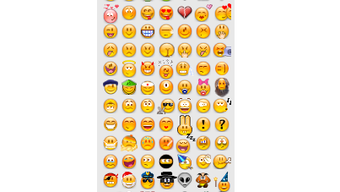
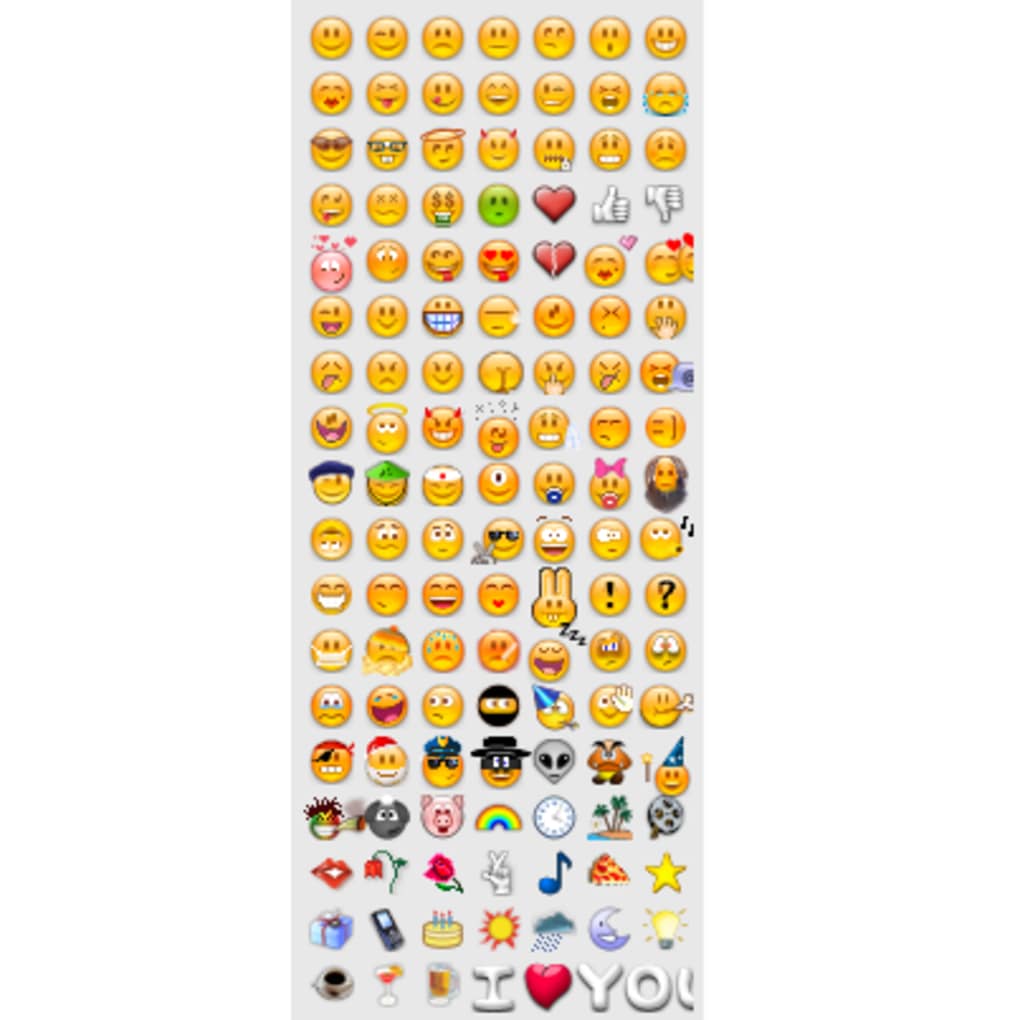
If you’ve ever felt limited by the tiny set of smileys that come bundled with your favorite chat client, More iChat Smileys is the answer you’ve been waiting for. This free pack delivers 120 fresh emoticons that instantly breathe new life into everyday conversations. While the name hints at iChat, the collection is deliberately designed to be cross‑compatible, working seamlessly with AdiumX, Proteus, Fire, Mercury, gAIM, and even Skype. Whether you’re typing a quick “good morning” on macOS or catching up with friends on a Windows PC, the expressive range—from gleeful grins to solemn frowns, from whimsical witches to a diligent policeman—covers every mood you might want to convey.
Beyond the obvious fun factor, the pack is built with simplicity in mind. Installation takes only a few clicks, and the icons are ready to use right after the first launch. The developers also listened to user feedback, fixing earlier installation quirks with Adium and adding Dutch localization for a broader audience. Even though a few emoticons may feel reminiscent of classic MSN Messenger icons, the sheer variety—plus the inclusion of miscellaneous symbols like a moon, sun, and mobile phone—makes this pack a worthwhile upgrade for anyone who values visual nuance in chat.
In the sections that follow, we’ll dive deep into the feature set, explore compatibility across operating systems, walk you through the straightforward installation process, and lay out the pros and cons to help you decide if More iChat Smileys is the perfect addition to your digital communication toolbox.
Key Features and Compatibility: What you get and where you can use it
Feature List
- 120 high‑resolution emoticons covering a wide emotional spectrum.
- Cross‑client support: iChat, AdiumX, Proteus, Fire, Mercury, gAIM, and Skype.
- Special themed icons: police officer, pig, witch, moon, sun, and mobile phone.
- Full Dutch localization for menus and help files.
- Optimized PNG format ensures crisp display on both Retina and standard screens.
- Easy drag‑and‑drop installation for macOS and simple folder copy for Windows.
- Regular updates that address client‑specific bugs and add new emoticons.
- Free of charge with an optional donation link for developers.
Operating System Compatibility
The pack has been tested on the most common desktop and mobile platforms. Below is a quick compatibility matrix:
- macOS: Works with iChat (10.5+), AdiumX (1.5+), and Proteus (2.0+).
- Windows: Compatible with Mercury (1.0+), Fire (2.5+), and the Windows version of Skype.
- Linux: Supported through AdiumX’s cross‑platform build and any client that respects the XDG emoticon directory.
- iOS & Android: While the pack is primarily desktop‑focused, users can manually import the PNG files into mobile messaging apps that allow custom sticker packs.
The developers have ensured that the emoticon files are stored in a platform‑agnostic folder structure, making it simple to share the same pack across different operating systems without needing separate versions. This approach reduces maintenance overhead and guarantees a consistent visual experience no matter where you chat.
Installation, Usage, Pros & Cons, and Frequently Asked Questions
Step‑by‑Step Installation Guide
Getting More iChat Smileys up and running is a breeze. Follow these instructions for your specific OS:
- Download the package: Click the “Download” button on the official page. The file arrives as a compressed
.ziparchive. - Extract the archive: On macOS, double‑click to unzip; on Windows, right‑click and choose “Extract All”.
- Locate your client’s emoticon folder:
- iChat/AdiumX (macOS):
~/Library/Application Support/Adium/Emoticons/ - Mercury/Fire (Windows):
C:\Program Files\Mercury\Emoticons\ - Skype (both):
%APPDATA%\Skype\Emoticons\
- iChat/AdiumX (macOS):
- Copy the 120 PNG files into the folder. If a subfolder named “More iChat Smileys” already exists, paste them there to keep things organized.
- Restart your chat client. The new icons will appear in the emoticon picker automatically.
For AdiumX users who previously experienced installation hiccups, the latest version resolves path‑resolution issues, allowing a smooth drag‑and‑drop directly from the extracted folder into the client’s preferences panel.
Pros & Cons
- Pros:
- Extensive variety of 120 emoticons for richer expression.
- Free, with optional donation to support developers.
- Cross‑client compatibility eliminates the need for multiple packs.
- Simple installation that works on macOS, Windows, and Linux.
- Regular updates keep the pack current and bug‑free.
- Cons:
- Some icons feel dated compared to modern vector‑based stickers.
- Mobile integration requires manual import, not a one‑click solution.
- No built‑in editor for creating custom emoticons within the pack.
FAQ – Answers to the most common questions
Is More iChat Smileys really free?
Yes, the entire 120‑emoticon pack is available at no cost. A donation link is provided for users who wish to support ongoing development.
Can I use the smileys on Skype for Windows?
Absolutely. Copy the PNG files into %APPDATA%\Skype\Emoticons\ and restart Skype to see the new icons in the picker.
Do the emoticons work on mobile devices?
Mobile support is limited to apps that allow manual sticker import. You can transfer the PNG files via cloud storage and add them to compatible messenger apps.
What should I do if the emoticons don’t appear after installation?
First, ensure the files are placed in the correct emoticon directory for your client. Then, fully quit the application (not just minimize) and relaunch it. If the problem persists, check for updates to both the client and the smiley pack.
Is there any way to create my own custom smileys using this pack?
The pack itself does not include an editor, but you can use any image‑editing software (e.g., GIMP, Photoshop) to design new PNG emoticons and drop them into the same folder.
Conclusion: Should you download More iChat Smileys today?
For anyone who spends a good chunk of the day typing in chat, the visual language of emoticons is more than just a novelty—it’s a shortcut to tone, humor, and personality. More iChat Smileys delivers a solid, free, and cross‑platform solution that dramatically expands your expressive toolkit without demanding a steep learning curve. The installation process is straightforward, the compatibility list covers the major desktop clients, and the 120‑icon collection adds enough variety to keep conversations fresh.
The few drawbacks—slightly dated graphics on some icons and limited mobile integration—are outweighed by the sheer convenience of having a single pack work across iChat, Skype, AdiumX, Mercury, and more. If you value a richer chat experience and appreciate a developer who listens to feedback (as shown by recent fixes and added Dutch localization), you’ll find this pack a worthwhile addition.
Ready to upgrade your chats? Download More iChat Smileys now and start expressing yourself with a broader range of emotions today.
Guides & Tutorials for More iChat Smileys
How to install More iChat Smileys
- Click the Preview / Download button above.
- Once redirected, accept the terms and click Install.
- Wait for the More iChat Smileys download to finish on your device.
How to use More iChat Smileys
This software is primarily used for its core features described above. Open the app after installation to explore its capabilities.
User Reviews for More iChat Smileys 0
No reviews found





.webp)